
The HSBC Rewards Credit Card is a popular choice among UK consumers who want to earn rewards on everyday spending without paying an annual fee. Designed for simplicity and practicality, it allows you to collect reward points on eligible purchases while benefiting from the security, digital tools, and reliability of one of the UK’s largest banks.
If you are considering this card, understanding exactly how to apply is just as important as understanding its benefits. HSBC follows a structured application journey that begins on its official website and is usually completed through its mobile banking app. Following the correct steps makes the process smoother, faster, and more secure.
Anúncios
This article is written specifically for a UK audience and explains, in detail, how to apply for the HSBC Rewards Credit Card step by step, from preparation to submission, as well as what happens after you apply. By the end, you will know exactly what to expect and how to approach the application with confidence.
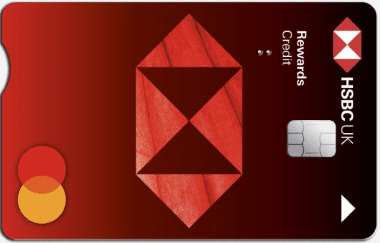
Rewards Credit Card
Understanding the HSBC Rewards Credit Card Before Applying
Before starting the application, it is worth briefly clarifying what the HSBC Rewards Credit Card is designed for.
This card is intended primarily for everyday spending, not long-term borrowing. Instead of cashback, it rewards you with HSBC Rewards points, which can later be redeemed for vouchers and other reward options. There is no annual fee, making it accessible to a wide range of UK consumers.
Key characteristics include:
- Rewards points on eligible purchases
- No annual fee
- Fully manageable via online banking and the HSBC mobile app
- Representative APR is variable and applies if you carry a balance
- Credit subject to status, affordability, and terms and conditions
If your goal is to earn rewards while managing your card responsibly, the HSBC Rewards Credit Card may be a good fit.
Before You Start: Requirements and Preparation
Who Can Apply
The HSBC Rewards Credit Card is aimed at UK residents who meet HSBC’s eligibility criteria. Approval depends on factors such as income, credit history, and overall affordability.
How Long the Application Takes
Starting the application usually takes around 5 to 10 minutes. Completing the full process may take a little longer, especially if you are new to HSBC and need to download and set up the mobile app.
What You Need Before Applying
Preparing in advance makes the process much easier. You should have:
- Internet access (computer, tablet, or smartphone)
- A smartphone to complete the application through the HSBC UK app
- Personal details, including your UK address history
- Employment and income information
- An overview of existing credit commitments
Having this information ready helps avoid delays and reduces the risk of errors.
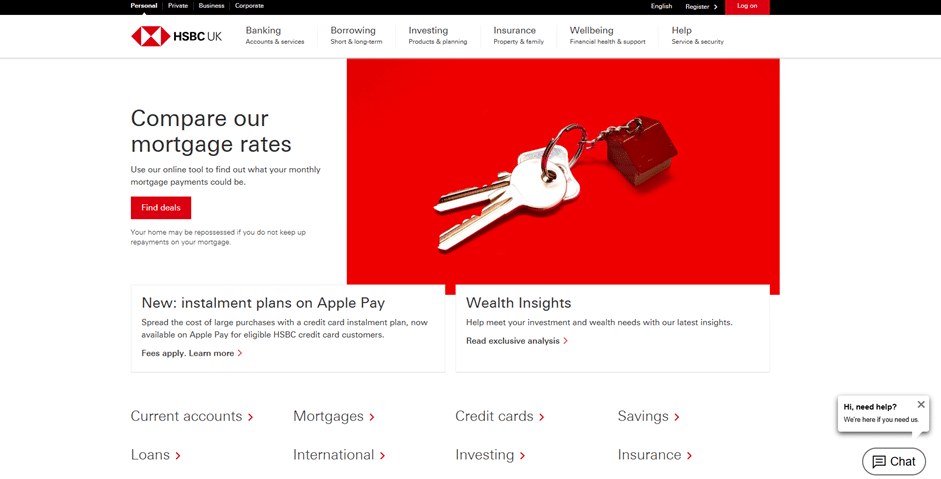
Step 1: Visit the Official HSBC UK Website
The application process begins on HSBC’s official UK website.
Once you arrive on the homepage:
- Familiarise yourself with the layout
- Locate the main navigation menu, usually at the top of the page on desktop or accessible via a menu icon on mobile
HSBC groups its financial products into clear categories, making it relatively easy to find credit card information.
Step 2: Navigate to the Credit Cards Section
From the main menu, select the Credit Cards option. This will take you to a page listing all credit cards currently available from HSBC in the UK.
On this page, you may see a variety of options, such as:
- Rewards-based credit cards
- Purchase-focused cards
- Balance transfer cards
- Cards aimed at specific customer groups
Scroll through the page carefully and focus on the card names, as the order may change over time.
Your goal is to find the card named HSBC Rewards Credit Card.

Step 3: Select the HSBC Rewards Credit Card
Once you locate the HSBC Rewards Credit Card, click on it to open the dedicated product page.
This page contains essential information, including:
- How rewards points are earned
- Key benefits and features
- Representative APR and interest details
- Important terms and conditions
This is an important step. Take time to read through the details to ensure you understand:
- How interest works if you carry a balance
- What types of spending earn rewards
- Any fees or limitations that may apply
When you are ready to continue, look for the application button, which is usually clearly highlighted and labelled with wording such as “Apply” or “Start application”.

Step 4: Begin the Online Application
Clicking the application button starts the formal application process.
At this stage, HSBC will typically explain that the application is completed through its official mobile banking app. This approach allows HSBC to:
- Verify your identity securely
- Guide you step by step
- Reduce processing time
You will be shown clear instructions explaining how to proceed using your smartphone.
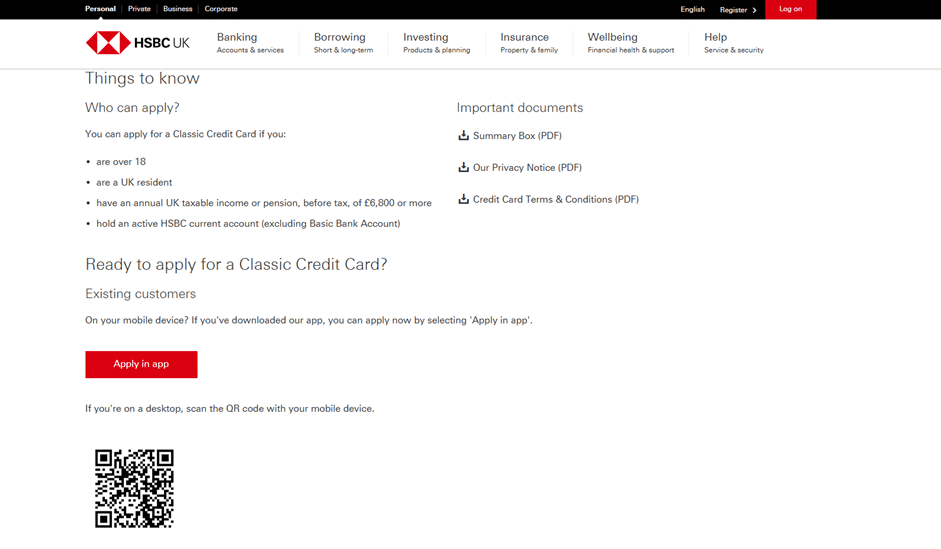
Step 5: Continue the Application in the HSBC UK Mobile App
The next step depends on whether you already use HSBC’s mobile banking app.
If You Are an Existing HSBC Customer
- Open the HSBC UK mobile app
- Follow the prompts to continue your credit card application
- Some personal information may already be pre-filled, saving time
If You Are New to HSBC
- You will be guided to download the HSBC UK mobile app
- Installation usually takes only a few minutes
- Once installed, the app will walk you through the remaining steps
Using the app is a required part of the process and is designed to make the application more secure and user-friendly.
Step 6: Provide Your Personal and Financial Information
Inside the app, you will be asked to complete a form with your details. This typically includes:
- Personal information such as your full name, date of birth, and UK address history
- Employment status and annual income
- Monthly housing costs, such as rent or mortgage payments
- Details of existing loans, credit cards, or other financial commitments
It is essential to provide accurate and honest information. HSBC uses this data to assess affordability and determine whether the card is suitable for you.
If you are already an HSBC customer, this step may be quicker, as some information may already be stored securely.
Step 7: Review and Submit Your Application
Before submission, the app will show you a summary of the information you have entered.
Take a few moments to:
- Double-check figures and spelling
- Confirm that income and expenses are correct
- Ensure your address history is accurate
Once you are satisfied, submit your application directly through the app.
HSBC will then carry out its assessment, which usually includes credit checks and an affordability review.
What Happens After You Apply
Application Outcome
Many applicants receive a decision quickly. Possible outcomes include:
- Approval
- A request for additional checks or information
- Decline
If approved, HSBC will confirm:
- Your credit limit
- Key card terms
- What to expect next
Receiving and Activating Your Card
If your application is successful, your HSBC Rewards Credit Card will be sent to your UK address.
Once it arrives:
- Follow the instructions to activate the card
- Set up a direct debit for at least the minimum payment
- Add the card to your digital wallet if you want immediate contactless access

HSBC Bank
Using the HSBC Rewards Credit Card Responsibly
To get the most value from the card:
- Use it for everyday spending you can afford
- Aim to pay off your balance in full each month
- Track your rewards points regularly
- Avoid cash withdrawals, which usually incur higher costs
Rewards cards work best when interest charges are avoided.
Building and Maintaining a UK Credit Profile
Responsible use of the HSBC Rewards Credit Card can help build or maintain your UK credit history. Positive habits include:
- Making payments on time every month
- Keeping balances at a manageable level
- Avoiding missed or late payments
Over time, this can strengthen your credit profile and improve access to future financial products.
Common Mistakes to Avoid When Applying
- Applying for multiple credit cards in a short period
- Providing inconsistent address or income information
- Ignoring the importance of affordability checks
- Carrying a balance and expecting rewards to outweigh interest costs
Being mindful of these points improves both your approval chances and your long-term experience with the card.
Final Thoughts
Applying for the HSBC Rewards Credit Card in the UK is a structured and relatively quick process when you follow the correct steps. By starting on the HSBC website, navigating to the credit cards section, selecting the Rewards card, and completing the application through the mobile app, you benefit from a secure and guided experience.
For UK consumers who want to earn rewards on everyday spending without paying an annual fee, and who are comfortable managing repayments responsibly, the HSBC Rewards Credit Card can be a practical and rewarding choice. Preparing in advance and understanding each stage of the application process puts you in the best position for a smooth application and confident decision.
Conteúdo criado com auxílio de Inteligência Artificial